
A container bundles your app with everything it needs to run, so it behaves the same everywhere. Kubernetes is the layer above: it runs many containers across many machines and keeps them alive.
Where you meet it
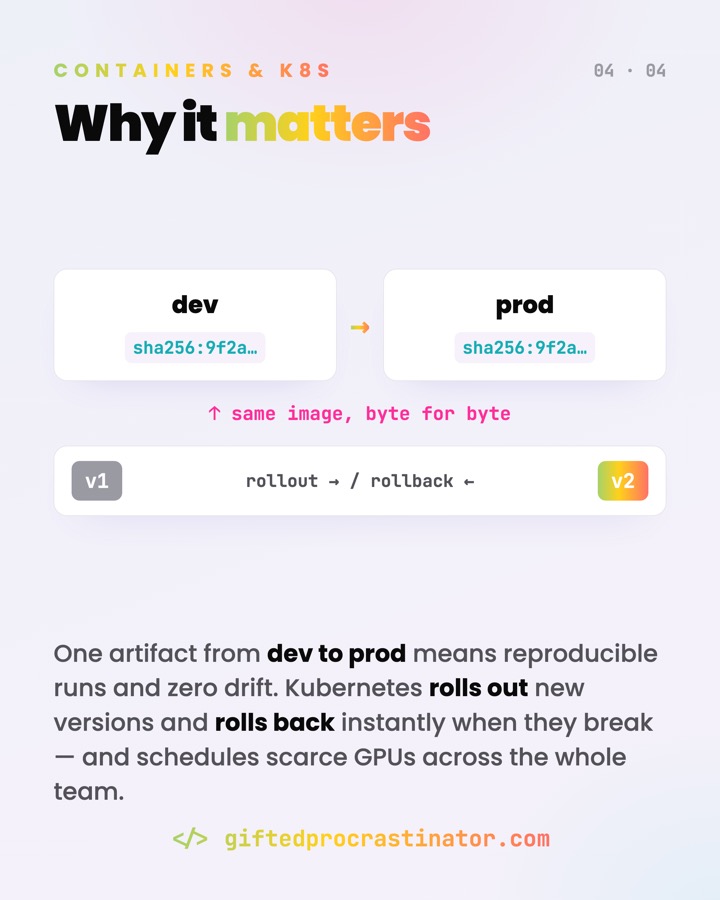
- "Works on my machine" bugs — gone, because dev, CI and prod run the same image.
- Shipping a web service, a database, or an ML model as one portable artifact.
- Scaling to dozens of replicas under load, then back down when it's quiet.
What it does
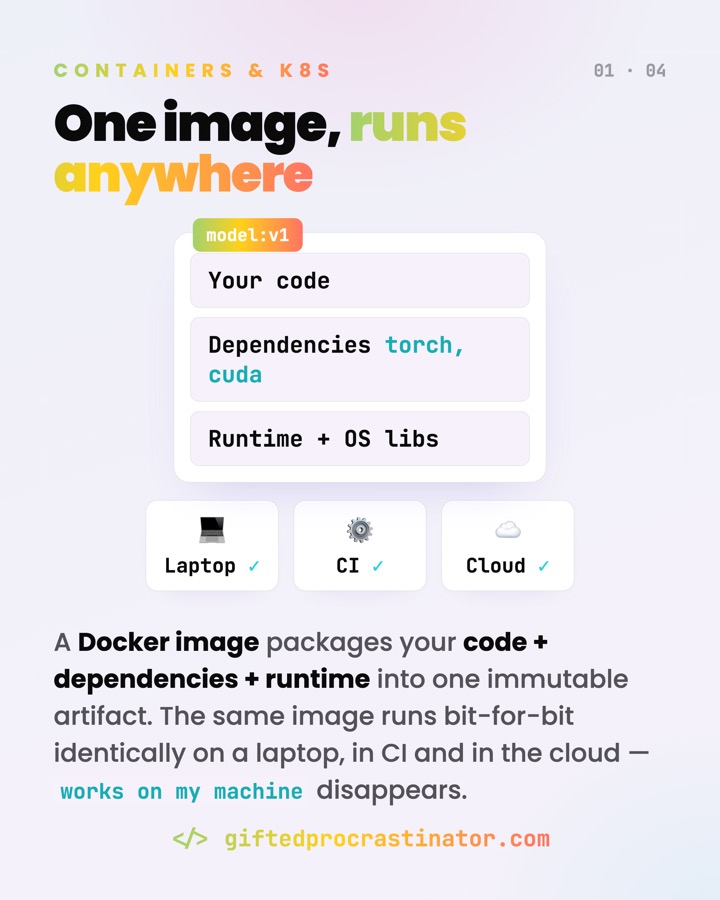
A container packs your code plus all its dependencies and runtime into one immutable image. You build the image once and run it anywhere — the "works on my machine" gap closes. Kubernetes then takes those containers and runs them at scale: it decides which machine each one lands on, replaces crashed ones, and load-balances traffic.
A container shares the host's kernel, not a whole OS — that's why it starts in milliseconds, and why its isolation is thinner than a VM's.
How it works
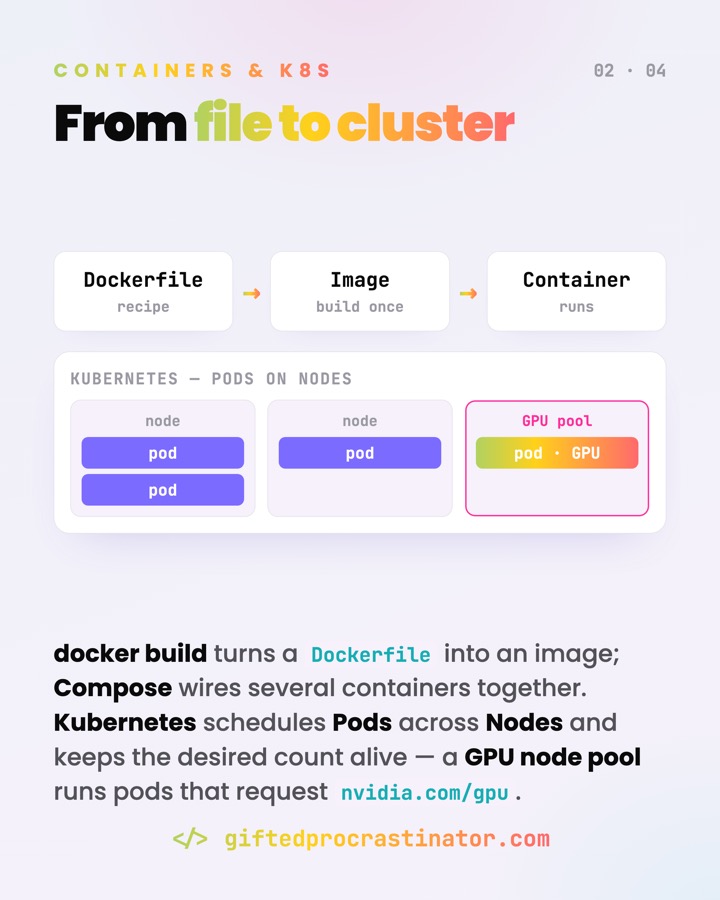
A Dockerfile is the recipe; docker build turns it into an image — a stack of read-only layers. Running that image gives you a container: an isolated process. The isolation comes from Linux kernel features (namespaces and cgroups), not from a separate operating system. That's the key difference from a virtual machine: containers share the host's kernel, so they start in milliseconds and stay small, while a VM ships a whole guest OS.
FROM python:3.12-slim
COPY . /app
RUN pip install -r /app/requirements.txt
CMD ["python", "/app/main.py"]
# docker build -t model:v1 .
# docker run model:v1      → same bytes on laptop, CI, cloud
Kubernetes orchestrates many containers. You wrap one or more containers in a Pod (the smallest unit it schedules), then declare a desired state — "I want 3 replicas of this image." Kubernetes continuously reconciles reality toward that goal: it schedules Pods onto Nodes, restarts ones that die, scales the count up or down, and spreads traffic across them.
Watch out
- A container is not a VM. Sharing the host kernel makes it lean but means weaker isolation boundaries — treat the kernel as a shared, security-relevant surface.
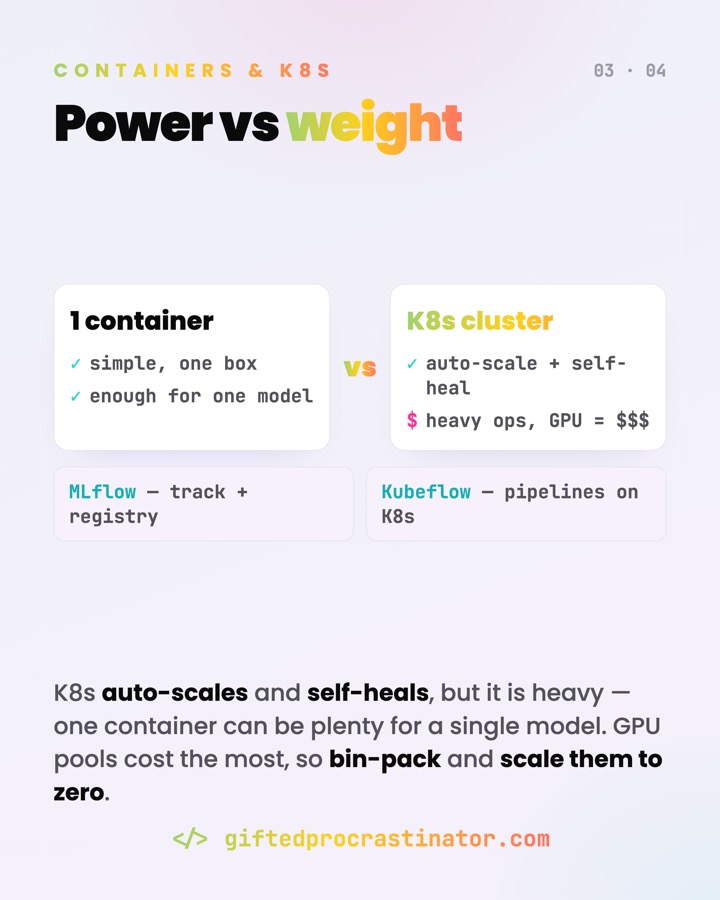
- Kubernetes is complex. For a small app it's often overkill; a single container or a managed service can be plenty. Reach for it when you genuinely need scale and self-healing.
- Containers are ephemeral. Anything written inside a container is gone when it's replaced — persistent data belongs in volumes, not the container's filesystem.
- Keep images small and current — slim base images, few layers, patched dependencies — for faster pulls and a smaller attack surface.
Go deeper
Ein Container bündelt deine App mit allem, was sie zum Laufen braucht — so verhält sie sich überall gleich. Kubernetes ist die Schicht darüber: Es betreibt viele Container auf vielen Maschinen und hält sie am Leben.
Wo es vorkommt
- "Läuft nur bei mir"-Bugs verschwinden, weil Dev, CI und Prod dasselbe Image fahren.
- Einen Webservice, eine Datenbank oder ein ML-Modell als ein portables Artefakt ausliefern.
- Unter Last auf dutzende Replicas hochskalieren — und in ruhigen Zeiten wieder runter.
Was es tut
Ein Container packt deinen Code samt allen Abhängigkeiten und der Runtime in ein unveränderliches Image. Du baust das Image einmal und führst es überall aus — die "läuft nur bei mir"-Lücke schließt sich. Kubernetes nimmt diese Container und betreibt sie im großen Maßstab: Es entscheidet, auf welcher Maschine jeder landet, ersetzt abgestürzte und verteilt den Traffic.
Ein Container teilt sich den Kernel des Hosts, nicht ein ganzes OS — darum startet er in Millisekunden, und darum isoliert er dünner als eine VM.
Wie es funktioniert
Ein Dockerfile ist das Rezept; docker build macht daraus ein Image — einen Stapel read-only Layer. Wird das Image gestartet, entsteht ein Container: ein isolierter Prozess. Die Isolation kommt aus Linux-Kernel-Features (Namespaces und cgroups), nicht aus einem eigenen Betriebssystem. Genau das ist der Unterschied zur VM: Container teilen sich den Kernel des Hosts, starten in Millisekunden und bleiben schlank, während eine VM ein komplettes Gast-OS mitschleppt.
FROM python:3.12-slim
COPY . /app
RUN pip install -r /app/requirements.txt
CMD ["python", "/app/main.py"]
# docker build -t model:v1 .
# docker run model:v1      → dieselben Bytes auf Laptop, CI, Cloud
Kubernetes orchestriert viele Container. Du steckst einen oder mehrere Container in einen Pod (die kleinste Einheit, die es schedult) und deklarierst einen Soll-Zustand — "ich will 3 Replicas dieses Images". Kubernetes gleicht die Realität laufend an dieses Ziel an: Es schedult Pods auf Nodes, startet ausgefallene neu, skaliert die Anzahl hoch oder runter und verteilt den Traffic.
Worauf achten
- Ein Container ist keine VM. Der geteilte Kernel macht ihn schlank, bedeutet aber schwächere Isolationsgrenzen — behandle den Kernel als gemeinsame, sicherheitsrelevante Fläche.
- Kubernetes ist komplex. Für eine kleine App oft Overkill; ein einzelner Container oder ein Managed Service reicht häufig. Greif dazu, wenn du wirklich Skalierung und Self-Healing brauchst.
- Container sind ephemer. Was im Container geschrieben wird, ist weg, sobald er ersetzt wird — persistente Daten gehören in Volumes, nicht ins Container-Dateisystem.
- Halte Images schlank und aktuell — schlanke Base-Images, wenige Layer, gepatchte Abhängigkeiten — für schnellere Pulls und kleinere Angriffsfläche.