
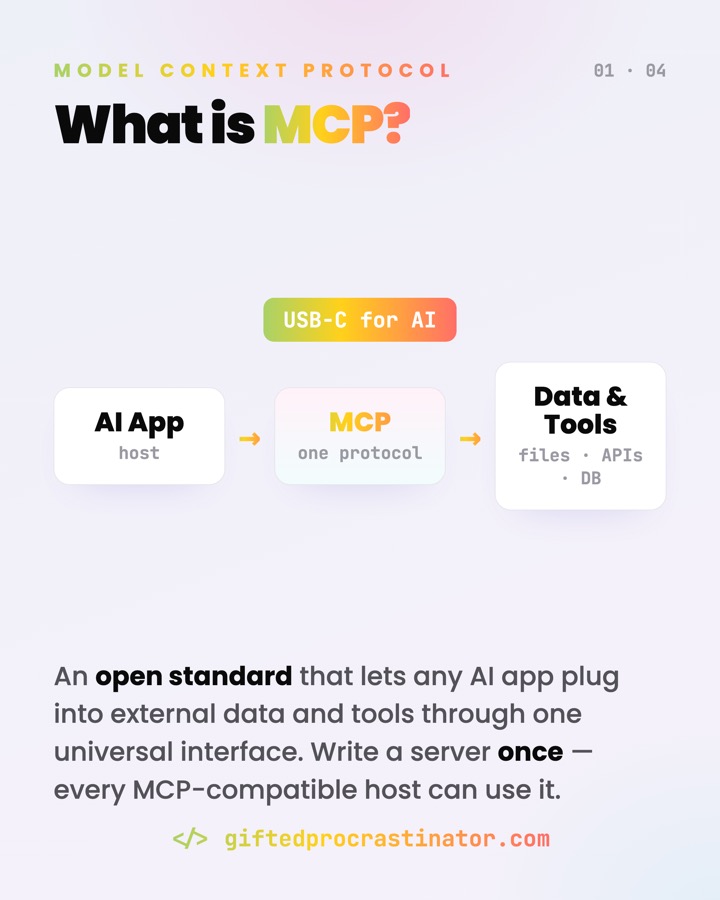
MCP is one open standard that lets any AI app plug into external tools and data — instead of a custom integration per pairing. The Model Context Protocol gives hosts and servers a shared language, so a server you write once works in every MCP-compatible client.
Where you meet it
- Claude Desktop, Claude Code, an IDE, or any agent reaching out to your files, GitHub, or a database.
- "Connect this assistant to Notion / Postgres / a calculator" — without hand-building each integration.
- The growing ecosystem of community and official MCP servers you install and point a host at.
What it does
It standardises the connection between an LLM app and the outside world. The app gets a uniform way to discover what a server offers, read context from it, and call its actions — and every server it talks to follows the same rules. USB-C for AI tools: write the server once, any MCP client can use it.
Write the server once, every MCP client can use it — USB-C for AI tools, with prompt injection as the price of the port.
How it works
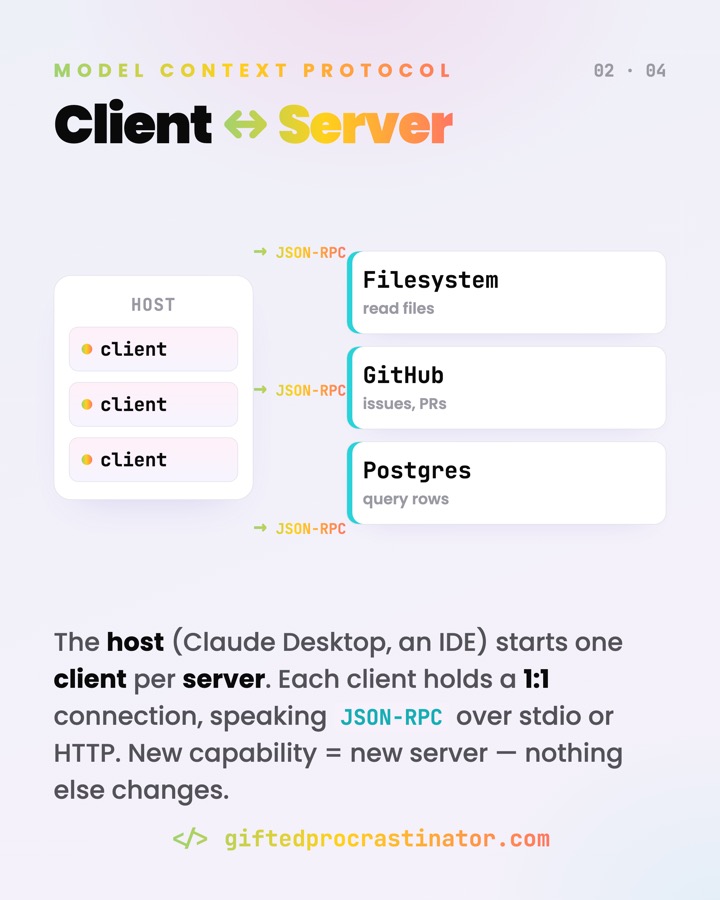
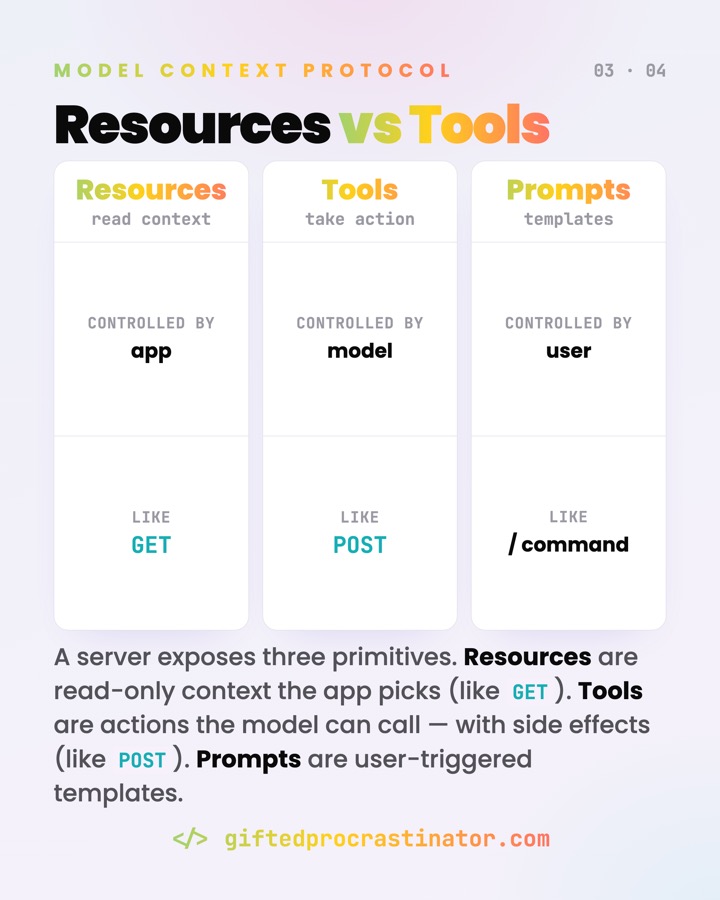
MCP is a client-server protocol built on JSON-RPC 2.0. A host (the LLM app) spins up one client per server, each holding a dedicated connection. Servers expose three primitives:
- Tools — executable functions the model can call (run a query, send an email). Like a
POST: side effects. - Resources — read-only data/context the app pulls in (a file, a schema, an API response). Like a
GET. - Prompts — reusable templates a user triggers (often a
/command).
Discovery is dynamic: the client lists what's there, then uses it.
// client asks the server what tools exist
{ "jsonrpc": "2.0", "id": 2, "method": "tools/list" }

// then calls one
{ "jsonrpc": "2.0", "id": 3, "method": "tools/call",
  "params": { "name": "weather_current",
              "arguments": { "location": "San Francisco" } } }
Two transports carry these messages: stdio for a local server in its own process, and Streamable HTTP for a remote one (with OAuth / bearer auth). Same JSON-RPC either way.
Watch out
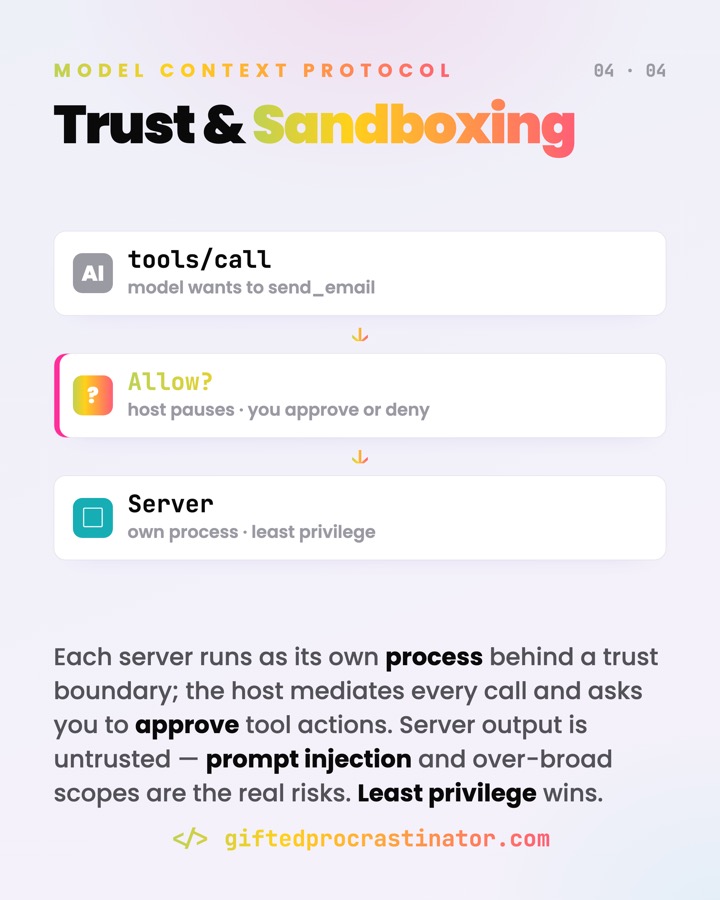
- Servers run real code and touch real data. The host mediates every call and should ask you to approve tool actions — user consent is a core principle, not a nicety.
- Tool descriptions steer the model. A vague or misleading description means the model uses the tool wrong; the spec treats descriptions from untrusted servers as suspect.
- Trust the server author. Server output is untrusted input — prompt injection and over-broad scopes are the real risks. Prefer least privilege.
- Not everything needs MCP. For one fixed API in one app, a direct call is simpler. MCP pays off when many hosts must reach many tools.
Go deeper
MCP ist ein offener Standard, mit dem sich jede KI-App an externe Tools und Daten andocken kann — statt einer eigenen Integration pro Paarung. Das Model Context Protocol gibt Hosts und Servern eine gemeinsame Sprache: Einen Server einmal schreiben, läuft er in jedem MCP-kompatiblen Client.
Wo es vorkommt
- Claude Desktop, Claude Code, eine IDE oder ein Agent, der auf deine Dateien, GitHub oder eine Datenbank zugreift.
- "Verbinde diesen Assistenten mit Notion / Postgres / einem Rechner" — ohne jede Integration von Hand zu bauen.
- Das wachsende Ökosystem aus Community- und offiziellen MCP-Servern, die du installierst und auf die ein Host zeigt.
Was es tut
Es standardisiert die Verbindung zwischen einer LLM-App und der Außenwelt. Die App bekommt einen einheitlichen Weg, zu entdecken, was ein Server anbietet, Kontext daraus zu lesen und seine Aktionen aufzurufen — und jeder Server folgt denselben Regeln. USB-C für KI-Tools: Server einmal bauen, jeder MCP-Client kann ihn nutzen.
Server einmal schreiben, jeder MCP-Client nutzt ihn — USB-C für KI-Tools, mit Prompt Injection als Preis des Anschlusses.
Wie es funktioniert
MCP ist ein Client-Server-Protokoll auf Basis von JSON-RPC 2.0. Ein Host (die LLM-App) startet pro Server einen Client, jeder mit einer eigenen Verbindung. Server stellen drei Primitive bereit:
- Tools — ausführbare Funktionen, die das Modell aufrufen kann (Query ausführen, Mail senden). Wie ein
POST: mit Seiteneffekten. - Resources — nur-lesbare Daten/Kontext, die die App einzieht (eine Datei, ein Schema, eine API-Antwort). Wie ein
GET. - Prompts — wiederverwendbare Vorlagen, die ein Nutzer auslöst (oft ein
/-Befehl).
Die Discovery ist dynamisch: Der Client listet auf, was da ist, und nutzt es dann.
// Client fragt den Server, welche Tools es gibt
{ "jsonrpc": "2.0", "id": 2, "method": "tools/list" }

// dann ruft er eines auf
{ "jsonrpc": "2.0", "id": 3, "method": "tools/call",
  "params": { "name": "weather_current",
              "arguments": { "location": "San Francisco" } } }
Zwei Transports tragen diese Nachrichten: stdio für einen lokalen Server im eigenen Prozess, und Streamable HTTP für einen entfernten (mit OAuth / Bearer-Auth). In beiden Fällen dasselbe JSON-RPC.
Worauf achten
- Server führen echten Code aus und greifen auf echte Daten zu. Der Host vermittelt jeden Aufruf und sollte dich Tool-Aktionen bestätigen lassen — Nutzer-Einwilligung ist ein Kernprinzip, kein Beiwerk.
- Tool-Beschreibungen lenken das Modell. Eine vage oder irreführende Beschreibung führt zu falscher Nutzung; die Spec behandelt Beschreibungen von nicht vertrauenswürdigen Servern als verdächtig.
- Dem Server-Autor vertrauen. Server-Output ist nicht vertrauenswürdige Eingabe — Prompt Injection und zu weite Rechte sind die echten Risiken. Least Privilege bevorzugen.
- Nicht jede Integration braucht MCP. Für eine feste API in einer App ist ein direkter Aufruf simpler. MCP lohnt sich, wenn viele Hosts viele Tools erreichen müssen.