
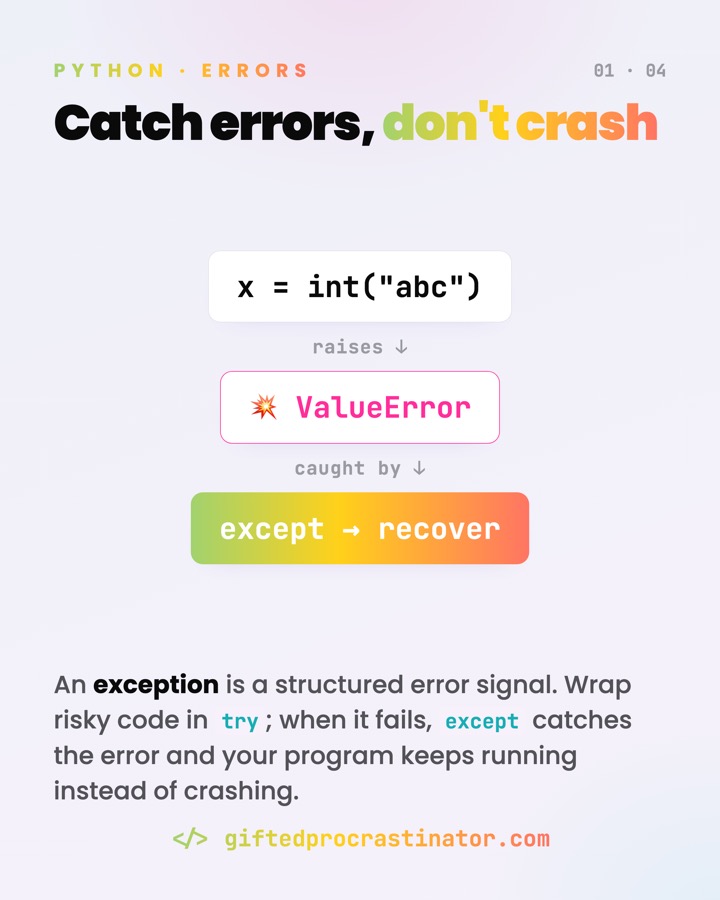
Exceptions let your code say "this went wrong" without crashing the whole program. Instead of checking every possible failure up front, you attempt the work and deal with trouble only if it actually shows up.
Where you meet it
- Parsing user input:
int("abc")raisesValueError. - Reading files or making network calls that may fail or time out.
- Looking up a missing key or attribute:
KeyError,AttributeError. - Signalling domain problems from your own code with
raise.
What it does
An exception is a signal that travels upward. When code raises one, Python stops the current line and looks for a matching except handler up the call stack. If one is found, control jumps there; if none is, the program stops and prints a traceback.
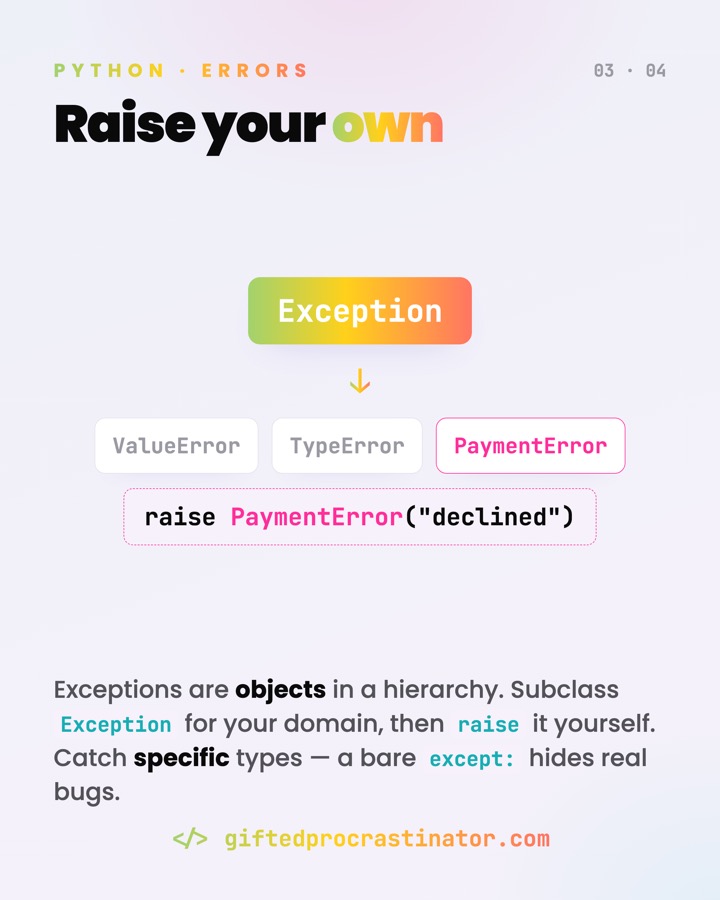
A bare except: doesn't make errors go away — it hides the bugs that bite you later, Ctrl+C included.
How it works
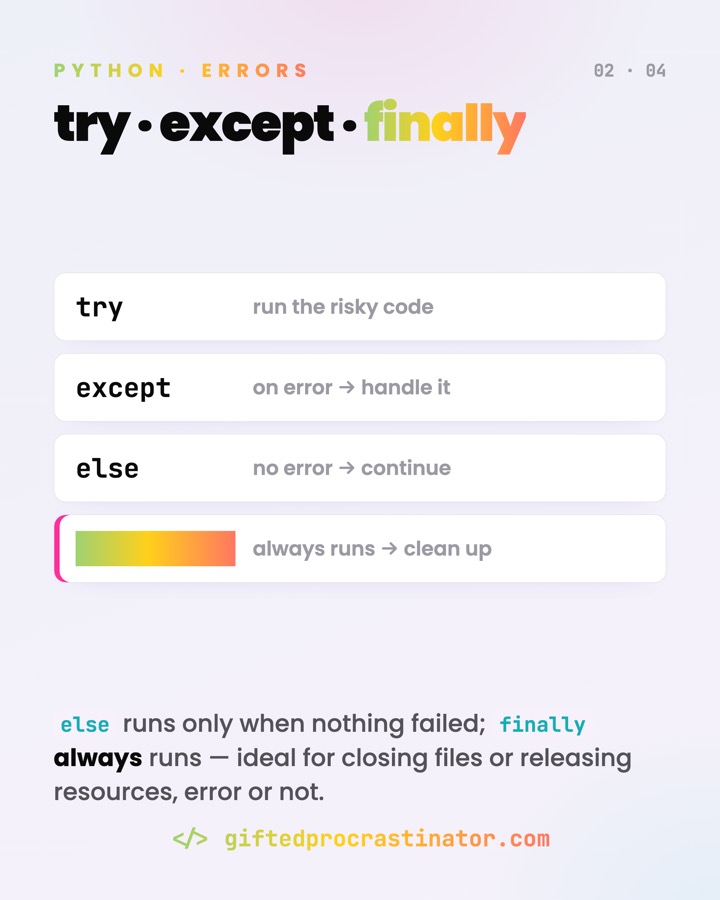
The Pythonic style is EAFP — "easier to ask forgiveness than permission": just try the thing, then catch the specific failure.
try:
    n = int(user_input)          # risky line
except ValueError as err:        # catch this exact failure
    print("not a number:", err)  # err holds the message
else:
    print("parsed", n)           # runs only if no error
finally:
    log("attempt finished")      # always runs, error or not
Bind the object with as err to read its message. Raise your own with raise PaymentError("declined"). When re-raising inside a handler, chain the cause so the original is preserved:
except OSError as e:
    raise ConfigError("bad config") from e
Watch out
- Never write a bare
except:. It also swallowsKeyboardInterruptandSystemExit— which inherit fromBaseException, notException— so Ctrl+C stops working. Catch specific types, orexcept Exceptionat most. - Don't silently swallow errors. An empty
except: passhides real bugs; at minimum log it, or let it propagate. - For cleanup, prefer
with. A context manager (with open(...) as f:) closes the resource for you — cleaner than a hand-writtenfinally.
Go deeper
Exceptions lassen deinen Code "hier ging etwas schief" sagen, ohne das ganze Programm abstürzen zu lassen. Statt jeden möglichen Fehler vorher abzuprüfen, versuchst du die Aktion und kümmerst dich nur dann um Probleme, wenn sie wirklich auftreten.
Wo es vorkommt
- Benutzereingaben parsen:
int("abc")wirft einenValueError. - Dateien lesen oder Netzwerkaufrufe, die fehlschlagen oder hängen können.
- Fehlender Schlüssel oder Attribut:
KeyError,AttributeError. - Fachliche Probleme aus eigenem Code mit
raisemelden.
Was es tut
Eine Exception ist ein Signal, das nach oben wandert. Wird eine geworfen, stoppt Python die aktuelle Zeile und sucht im Aufrufstapel nach einem passenden except-Handler. Findet sich einer, springt die Ausführung dorthin; findet sich keiner, hält das Programm an und gibt einen Traceback aus.
Ein nacktes except: lässt Fehler nicht verschwinden — es versteckt die Bugs, die dich später beißen, Strg+C inklusive.
Wie es funktioniert
Der pythonische Stil ist EAFP — "easier to ask forgiveness than permission": einfach versuchen und den konkreten Fehler gezielt abfangen.
try:
    n = int(user_input)          # riskante Zeile
except ValueError as err:        # genau diesen Fehler fangen
    print("keine Zahl:", err)    # err enthält die Meldung
else:
    print("geparst", n)          # läuft nur ohne Fehler
finally:
    log("Versuch beendet")       # läuft immer, Fehler oder nicht
Mit as err bindest du das Objekt und liest seine Meldung. Eigene Fehler wirfst du mit raise PaymentError("declined"). Beim Weiterwerfen in einem Handler die Ursache verketten, damit das Original erhalten bleibt:
except OSError as e:
    raise ConfigError("bad config") from e
Worauf achten
- Nie ein nacktes
except:schreiben. Es schluckt auchKeyboardInterruptundSystemExit— die vonBaseExceptionerben, nicht vonException— und Strg+C funktioniert dann nicht mehr. Fang gezielte Typen ab, höchstensexcept Exception. - Fehler nicht still schlucken. Ein leeres
except: passverbirgt echte Bugs; mindestens loggen oder weiterreichen lassen. - Zum Aufräumen besser
with. Ein Kontextmanager (with open(...) as f:) schließt die Ressource selbst — sauberer als ein handgeschriebenesfinally.